Rebuilt my portfolio website with Next.js and bunch of cool features
In this blog, I am gonna explain the Tech/Engineering behind every feature and how it evolved over the time
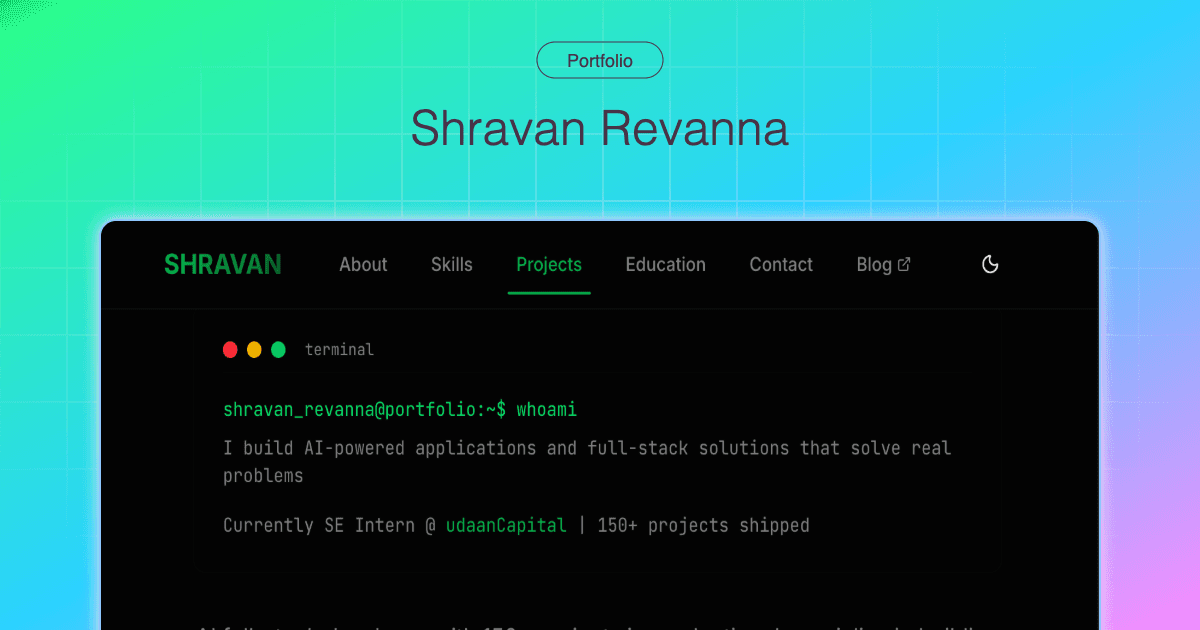
I decided to rebuild my entire portfolio website [old portfolio], my main intention was to build something unique and super packed that portrays me better and not just a static page of links. I wanted to keep it interactive, dynamic data, and a showcase of my engineering skills. This is the story of how I took my portfolio from a simple HTML page to a dynamic, feature packed website with bunch of cool things in just a couple of weeks (yes, I used AI to its max potential and that had its own effects vs side effects).
I have used multiple AI tools with best prompts/instructions + CLAUDE.md and I was only able to produce a barely functional prototype but eventually I had to architect everything myself and change/redesign a lots of things in mid-way like from database user doc schema to making better reusable/readable components.
- This project helped me understand basics of how in-app browsers works.
- How firebase reads and writes can be optimised. (I hit rate limit while developing)
- Even something basic like how and where caching should be used.
- Also learnt from the mistakes throughout (vibe coding can reduce productivity if not controlled)
I will be writing one more detailed blog on how I went into the depths of fundamental to optimise this project. It will include how I enhanced click-track to have minimal latency and how DB reads and writes are optimised to handle at large scale. (Database store = where I store logs/track every single interactions throughout this site)
The hidden piece: Interactive Terminal
Yes that terminal that you see is a fully functional piece. To activate it, you have to try closing the terminal [click on red dot once] and then the terminal session starts. Highly recommend desktop view but it works on phone as well.
The centerpiece of the portfolio where you're greeted with on the homepage. It's not just a design element; it's a fully functional interface for navigating the site and some basic commands.
Real-Time Interaction: You can run commands like
helpor?,projects, andskillsto get information and jump to different sections. (They gets executed on my old phone that runs terminal emulator)Authentic Feel: It mimics a real terminal [mac] with features like command history (using the arrow keys), tab completion for commands, and even a few fun easter eggs (try running
sudo!)Pinch of AI: Activate it by running command like
aioractivate aiand boom. now you are interacting with an custom context LLM that has context of the portfolio. (isn’t it cool? yeah ik)Log everything asynchronously: Every command entered is tracked (sneaky but this is just the start), so this keeps the UI snappy and responsive without waiting for the analytics to complete.
There are lots of fingerprints tracking that is involved which I will talk about later. hint:
?s=hash

Under the Hood: The Engineering That Powers It
This portfolio is more than just a frontend design. It's packed with custom-built features that shows my approach to building and engineering.
1. Custom Analytics Engine
I built an analytics engine from scratch to track user interactions. Goal was to have non-blocking fringerprint tracking system that:
Queues and batches user interaction data: This ensures that analytics events are sent efficiently without impacting the user experience. Initially it was laggy as the re-action was waiting for the
POSTorPATCHrequests to the firebase database but it was optimised from 200-300ms reaction time to almost unnoticeable latency and it is almost instantaneous.Handles online/offline states: If you go offline, the tracker saves your interactions and sends them when you're back online. It is designed to be in such a way where every click and command from the website is captured without any lag.
Tracking and analytics came a long way:
My first attempt, I tracked interactions the brute-force way: a button-click tracker that fired regular
patch()calls. It worked… but blocked navigation, adding lag and sometimes dropping data if the user bounced too fast.Button-Trackwas having having a lots of issue with the clicks. The clicks were laggy and felt the site is buggy. Check code here branchbutton-track.Next, I tried a click event tracker that was lighter, but still depended on async requests finishing before the page unload still not reliable on fast exits or mobile browsers.
Click-Trackwhich optimised to certain level but it was not perfect. Check code here branchclick-track.The final evolution
Track-Externalwas usingnavigator.sendBeacon(). By sending a tiny payload in a “fire-and-forget” way, clicks now get logged instantly without slowing the user down (click operation). Add in batching + retries for offline cases, and tracking became smooth, and invisible to the user. IfsendBeaconisn’t available or fails, fallback to direct Firebase call. Code here.Maintain an in-page queue (
clickTracker) that batches, retries, and syncs periodically and ononlineevents. Limit queue size and requeue on failures to avoid data loss.The current website tracks external link clicks reliably from a static GitHub Pages frontend (https://shravanrevanna.me) and send them to a Vercel serverless function (vercel deployed api
/api/track-external) without blocking navigation.
Result / Impact
Reliable, non-blocking external click tracking that works across browsers and in-app browsers.
Minimal latency impact on user navigation and robust retry behavior for offline/insecure contexts.
Helps me understand how the visitors are driven and what content/projects are most viewed.
Viewing insights (Admin panel for the database)
Yeah, I built my own personal admin panel solely to monitor all the collected data.

Above [which looks like stock market chart] is the view to see the visits to the portfolio over time [last 30d] with [grouped by Daily]. (Developed from scratch)

Visits spike after posting on LinkedIn about - groww portfolio synced smart lights.


I can even track how many visits are from different hashed urls, so if anyone opens a hash url then i can monitor the activity.
While I was building the admin panel, the way I was storing the documents and the way I wanted insights was not compatible and I had to redesign the schema that supports view as well as record efficiently.

The above is the Firebase Console that shows the usage of the documents reads and writes
I hit the rate limit why? I wanted the insights (admin console) in a very specific manner and the AI generated code was initially designed in a way to exactly cater my view. But it totally forgot the scale and each time I reloaded there the code was reading all the documents iteratively and recursively which led to this. Bit eventually the redesigned architecture now has much lesser reads and writes.
2. Real-Time Github Stats API
The GitHub statistics on the site are not just static images. They are fetched in real-time from a self-hosted git-stats-api that I built from scratch. This provides a live look at my coding activity across multiple GitHub accounts. Github Repo here
Single Endpoint:
GET /api/commits/{username}returns comprehensive GitHub statisticsDetailed Repository Breakdown: Shows owned repos, original repos (non-forks), and private repos
GitHub GraphQL Integration: Fetches commits year-by-year and detailed repository statistics
Smart Caching: 24-hour in-memory cache per user to avoid rate limits
Vercel Ready: Optimized for serverless deployment
Left: (previous version with hard-coded numbers) and Right: (latest version with dynamic values pulled from API)

Left: before (all hard-coded static values/numbers) | Right: current (live dynamic values from gh API)
3. A Single Source of Truth
All the content on the site from my bio and skills to project details and social links everything is managed from a single portfolio-data.json file. This makes updating the site incredibly easy and means I don't have to touch the code to change the content. This was the very first thing initialized even before the project was started with migration. Claude Code was able to figure out the best possible way to pot it out based on the data structure. Any changes to the structure was easily picked up and made the respective corresponding changes to the frontend.
4. Performance and Optimization
The portfolio is built with performance in mind. I used Next.js for Server-Side Rendering (SSR), which ensures fast load times and a great user experience. I also implemented other basic optimizations like image lazy loading and code splitting (modular and type safety) to keep the site fast and responsive. This pagespeed.web.dev is a free tool by Google that analyzes the speed and performance of your web pages on both mobile and desktop devices, then provides optimization scores and actionable suggestions for improvement. I followed it to optimise and here are the before and after results:


The above is the comparison of before (71, 89) → after (96, 99) scores
5. The Tech Stack: A Modern, Robust Combination
This portfolio was built with a modern, robust tech stack that I’m passionate about. The stack was chosen at the outset and followed throughout.
Framework: Next.js with TypeScript (Interface and type definitions gives better context for LLMs)
UI: React, styled with Tailwind CSS and shadcn/ui (Easy customization and many pre-built, customizable components)
Animations: GSAP and Framer Motion for a fluid, engaging feel (Tried to avoid heavy animations but later used it subtly)
Backend & Data: Firebase for analytics, a self-hosted API for GitHub stats, and a central JSON file for content (Firebase is always my go-to NoSQL db choice)
6. How AI helped with speeding up things
I majorly used Claude Code (Sonnet 4.5) and Roo Code (Sonnet 4)
Gemini 2.5 pro for designing the architecture (Thinking)
Claude for the complex code structure
I was able to code way faster with the help of an agentic AI.
The problem with LLM (best model) is that it always tries to “overfit” the idea focusing on quickly making something work (brute force) and does not bother about the long term solution. The outcome is often better if you provide the AI with highly specific constraints and requirements.
AI could generate/iterate multiple approaches to solve each problem in different ways and as a developer myself had to evaluate/test each of them throughly and decide which one fits the best.
(For example a feature that sounds simple but becomes tricky when optimizing latency and speed).
Before implementing anything first thing was to research about the existing process or any readily available piece of code mut in my case I could not find any (used perplexity deep research)
So instead of looking around I built it myself (3 external APIs that are currently used) and with each case had its own purpose and was fun building things from scratch.
I did not just keep building it but I tried understand how things work at the fundamental level like how in-app browsers work within multiple platforms etc.

7. Conclusion: An slightly over engineered but summarises and presents my skills and my past work.
This portfolio is more than just a list of my projects; it's a project in itself. It's also a demo of engineering skills, my passion for building great software, and user-friendly experiences. Design was something I put a decent amount of efforts and did not leave till I was satisfied with the outcome. Optimisation is never ending process. I built it so that it can function and not break at any scale.
I encourage you to explore the interactive features and check out the source code to see how it all works.